A ream of paper is chosen on four lines of its label: weight, size, whiteness and the printer type it is made for. The rest is storage. Here is how to read each mention and which paper to pick for what you print.
What a ream contains
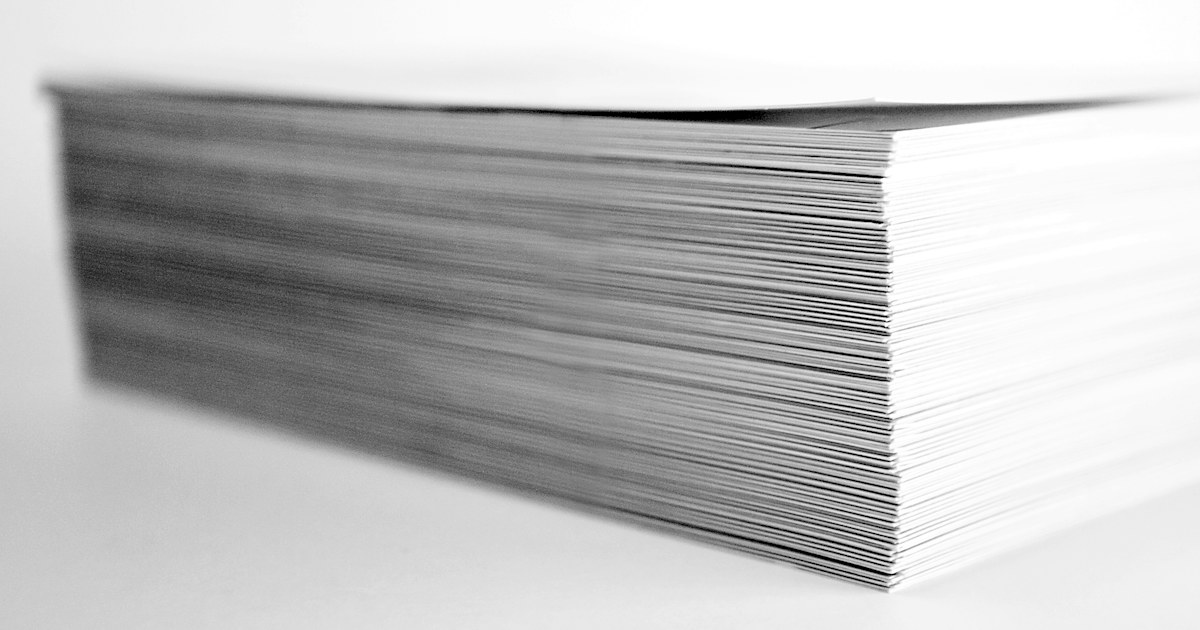
A standard ream of 80 g/m² paper holds 500 sheets. The number is printed on the wrapper, often as 500 sh. Heavier papers come in smaller packs: 250 sheets at 120, 160 or 170 g/m², 125 sheets at 250 g/m².
A 500-sheet A4 ream at 80 g/m² weighs 2.5 kg and is about 5 cm thick. This helps plan stock: a 150-sheet printer tray is filled a little over three times from one ream.
Paper weight: 70, 80 g/m² or more
The weight is the mass of a 1 m² sheet. An A4 sheet is 1/16 of a square metre, so one A4 sheet at 80 g/m² weighs 5 g. The higher the weight, the thicker, stiffer and more opaque the sheet.
70 g/m²
Light paper for drafts, internal copies and prints that are thrown away soon. Text printed on the back shows through, which is a problem for double-sided printing. It also creases more easily in the tray.
80 g/m²
The standard office paper, the one printers and copiers are set up for by default. It suits letters, homework, invoices and administrative files. In the shop, the Navigator A4 80 g ream and the Clairefontaine DCP 80 g ream are two examples, both rated for laser and inkjet.

90 to 120 g/m²
More opaque and firmer in the hand. Use it for a report printed on both sides, a CV, a thesis or a quote handed to a client. The Navigator A4 120 g/m² pack of 250 sheets sits in this range.
160 g/m² and above
This is paper for covers, folders, cards and invitations. The Navigator A4 white 160 g works as a report cover, and the DCP ivory 250 g is close to light card. Before buying, check the maximum paper weight your printer accepts in its specifications. Small models have a limit, and a sheet that is too thick jams or does not feed.

| Weight | Common use | What to check |
|---|---|---|
| 70 g/m² | Drafts, internal copies | Show-through on the back |
| 80 g/m² | Office, school, letters | Nothing special, it is the default setting |
| 90 to 120 g/m² | Double-sided reports, CVs, theses | Paper type setting in the driver |
| 160 to 250 g/m² | Covers, cards, invitations | Maximum tray weight, single-sheet feed |
A4 or A3
A4 is 210 x 297 mm. A3 is 297 x 420 mm, two A4 sheets side by side. A4 covers almost every need: administrative documents, homework, invoices. The A4 paper reams section groups the weights and brands available.
A3 is for plans, wide tables, posters and enlargements. It only feeds into a printer or copier that accepts that size. Most compact office printers stop at A4, so check the maximum size in the printer’s specifications before buying A3.
Whiteness
Whiteness is often given in CIE on the wrapper. The higher the number, the whiter the paper looks and the sharper the contrast with black ink. The Navigator 80 g ream, for example, states 169 CIE.
Some makers give ISO brightness instead, as a percentage. The two scales cannot be compared with each other, so compare two papers on the same scale. For black office text the difference is small. It matters more for documents handed to a client and for colour prints.
Laser or inkjet
Office paper at 80 g/m² marked for laser and inkjet works in both. The differences come with special papers.
- Laser: toner is fixed by heat. The paper must take that heat without warping. A coated gloss paper made for laser, like the Clairefontaine DCP Coated Gloss A4 170 g, is designed for it. Glossy inkjet photo paper must not go into a laser printer.
- Inkjet: the ink is liquid. On thin paper, a page heavy in colour can cockle or bleed through. For full-page colour on an ink tank printer, 90 to 120 g/m² holds up better.
- Labels: the Office Line adhesive paper for laser and barcodes is rated for laser. Always check the technology printed on adhesive paper before loading it.

Double-sided printing
At 70 g/m², text on the back reads through the sheet. At 80 g/m², it stays faintly visible on dense pages. Above 90 g/m², both sides read comfortably.
On the printer side there are two cases. Automatic duplex turns the sheet without any action, as on the HP LaserJet M211dw. Manual duplex asks you to put the stack back in the tray after the first pass, so the paper must lie flat or printed sheets will catch. The office laser printers state this in their specifications.
Coloured paper
Coloured paper separates the parts of a file, marks a form, or carries a notice or a menu. The Clairefontaine Trophée coloured paper reams are 80 g/m², 500 sheets, in blue, red, green or yellow.
Two things to know. A dark shade lowers the contrast of black text, so keep the font fairly large. And colour printed on tinted paper changes: light blue on yellow paper does not come out as it does on white.
Storing paper against humidity
Paper absorbs moisture from the air. A damp sheet curls, sticks to the next one and causes jams, especially in laser printers where the heat makes it curl further.
- Keep the ream closed in its wrapper until you use it.
- Store it flat on a shelf, off the floor, away from outside walls, windows and water points.
- In a humid room, do not leave a large stack in the tray for weeks. Put the surplus back in the wrapper.
- Before loading, fan the stack to separate the sheets.
- Many reams carry an arrow on the wrapper showing the recommended print side. Follow it if sheets tend to curl.
Our advice
- Home and homework: a white A4 80 g/m² ream rated for laser and inkjet. It feeds in every common printer.
- An office printing a lot on both sides: 80 g/m² for daily work, plus a pack of 120 g/m² for documents handed to clients.
- Drafts and internal copies: 70 g/m², accepting the show-through.
- Covers and cards: 160 to 250 g/m², after checking the printer’s maximum paper weight.
- Filing and notices: 80 g/m² coloured paper, light shades for text.
- Plans and large tables: A3, only if the machine accepts that size.
All references are in the paper reams category.